Why doesn t air fryer preheat: Troubleshooting Guide
Urgent, step-by-step troubleshooting for why doesn t air fryer preheat. Learn common causes, quick tests, and reliable fixes to restore heating safely—brand-backed guidance from Air Fryer 101.


Why doesn t air fryer preheat? The most common causes are power issues, a mis-set controller, or a blocked door switch. Start with quick checks: test the outlet, unplug/replug, reset the unit, and reseat the basket. If it still won t preheat, move to deeper diagnostics.
Why doesn t air fryer preheat: common causes
When a model won t preheat, it isn’t always a blown heating element. In many cases the culprit is something you can fix in minutes: a loose power connection, a misread preheat cue, a blocked vent, or a safety switch not being satisfied. According to Air Fryer 101, the majority of preheat complaints trace back to setup and power delivery rather than a dead unit. The first time you encounter this issue, walk through these frequent causes and verify each one quickly. A methodical check not only saves time but also prevents unnecessary replacements. Air Fryer 101 has found that addressing the basics first eliminates the vast majority of false alarms and keeps your cooking routine on track. Keep in mind that preheating is often a relay between your power source, the control panel, and the door/basket sensing switch, not just the heater alone.
For home cooks, the key takeaway is simple: don t assume a malfunction. Most preheat failures respond to a quick recheck of power, position, and basic cleanliness. If you do this right away, you’ll probably confirm a simple fix rather than needing a repair technician.
Quick checks you can perform before deeper troubleshooting
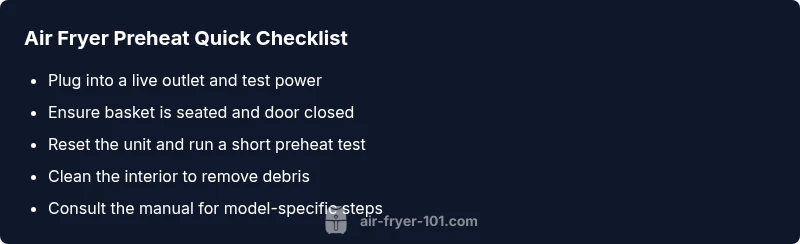
- Confirm the air fryer is plugged into a live outlet and the cord is firmly seated. If you re not sure, test the outlet with another device.
- Ensure the basket and drawer are fully seated and the door or latch is closed; many models won t start preheat if the micro-switch detects an open state.
- Reset the appliance by unplugging for 30–60 seconds, then plug back in and power up again. A power-cycle often clears minor controller glitches.
- Inspect the interior for crumbs or grease that could block the thermostat or vents; clean with a dry or slightly damp cloth after unplugging and letting it dry.
- Review the manual’s preheat instructions for your model; some units require selecting a higher temperature briefly to trigger the preheat phase or to initialize heat.
- If your model supports a firmware or software reset, perform it per the user guide. Firmware glitches can mimic hard hardware failures without any hardware damage.
Diagnostic flow: symptom to diagnosis
Symptom: Your air fryer refuses to preheat after selecting a temperature.
Causes:
- Power issue at outlet or cord: high
- Door latch or basket misalignment: high
- Faulty thermostat or heating element: medium
- Control panel or firmware glitch: medium
- Vent blockage or circuit overload: low
- Incorrect model behavior for preheat (some units don t require a separate preheat step): low
Fixes:
- Try a different outlet or a known-good cord; verify you have power (easy).
- Re-seat the basket and ensure the door is fully closed (easy).
- Unplug, clean, and inspect the heating area for debris; if you see damage, stop using the unit (medium).
- Reset the control panel or run a firmware reset if available (easy).
- If you still can t preheat after these steps, the unit may require professional service (hard).
Step-by-step fixes for the most likely culprits
- Check power and reset
- Make sure the outlet works by plugging in another device. Power cycle the unit by unplugging for 60 seconds and then plugging back in. Turn it on and test the preheat function again. Tip: use a dedicated outlet to avoid shared-circuit issues.
- Confirm basket and door status
- Reinsert the basket fully and close the door. Some models have a micro-switch that won t allow preheat if the door isn t detected properly. Listen for a slight click when the door engages. Tip: if the door latch feels loose, avoid using the unit until checked.
- Inspect for debris
- Unplug and wipe away crumbs around the heating element and fan blades. Debris can cause temperature sensors to misread or block airflow. Tip: avoid liquid cleaners inside the cavity; use a dry brush or cloth instead.
- Run a test preheat
- Set a moderate temperature and run for a short interval to observe whether the preheat cycle begins. If the indicator light stays off or the display shows an error, note any codes. Tip: keep a timer handy to measure if the cycle starts within a few minutes.
- Firmware/controls check
- If your model supports software resets, perform a full reset to restore normal heating behavior. This is often enough to fix a non-responsive preheat. Tip: back up settings if the unit stores preferences.
- When to seek professional help
- If none of the above resolves preheating, contact the manufacturer or a certified technician for diagnostic testing of the thermostat, heating element, and wiring. Do not attempt to pry open or repair electrical components yourself. Time estimate: 30–60 minutes for this process.
Safety tips and prevention to avoid future preheat problems
- Always unplug before cleaning or inspecting the interior. Avoid water contact; dry thoroughly before reconnecting power.
- Keep vents clear; use the appliance on a heat-resistant surface and ensure nothing blocks air intake or exhaust.
- Regularly clean the interior and wipe the exterior to prevent grime buildup that can affect sensors.
- Use only recommended accessories and avoid metal utensils that could scratch coatings or create shorts.
- If you smell burning plastic or see smoke, turn off power and unplug immediately; contact support. Do not use the unit again until inspected.
When to call for professional help
If basic checks don t restore preheat or you notice damage to the power cord, melted insulation, or unusual smells or sounds, stop using the unit and seek professional service promptly. A qualified technician can test the wiring, thermostat, and heating element with specialized equipment. Air Fryer 101 recommends engaging professional support to prevent safety hazards and protect warranty coverage.
Brand-backed conclusion and next steps
According to Air Fryer 101, most preheat issues are fixable with at-home troubleshooting when approached calmly and methodically. The team recommends completing the steps in order, documenting any error codes, and contacting the manufacturer if the unit remains unresponsive after the basic checks. The Air Fryer 101 team believes safety comes first, and if in doubt, professional assessment is the best path to avoid damage or injury.
Steps
Estimated time: approximately 1 hour
- 1
Check power and reset
Ensure the outlet is live by plugging in another device, then power cycle the air fryer by unplugging for 60 seconds and plugging back in. Turn on and test preheat again.
Tip: Use a dedicated outlet to avoid circuit trips. - 2
Verify basket and door
Reinsert the basket fully and ensure the door is closed; listen for the door switch confirming engagement.
Tip: If you hear no click, don’t rely on preheat yet. - 3
Clean debris around heat area
Unplug and wipe crumbs and grease from around the heating element and fan area; dry completely before testing.
Tip: Avoid liquid cleaners inside the cavity. - 4
Run a test preheat
Set a moderate temperature and start a short preheat to observe activation; note any error codes or delays.
Tip: Keep a timer handy to measure cycle start time. - 5
Reset controls if available
If your model has a software reset option, perform it according to the manual to restore normal heating behavior.
Tip: Back up any saved settings if applicable. - 6
Call for professional help
If none of the above steps fix preheat, contact the manufacturer or a qualified technician for internal diagnostics.
Tip: Do not attempt to disassemble or repair electrical components.
Diagnosis: Air fryer won t preheat
Possible Causes
- highPower issue at outlet or cord
- highDoor latch or basket misalignment
- mediumFaulty thermostat or heating element
- mediumControl panel or firmware glitch
- lowVent blockage or circuit overload
- lowModel behavior (no separate preheat for some models)
Fixes
- easyTest with a known-good outlet and cord; verify power to the unit
- easyRe-seat basket and ensure door is fully closed
- mediumUnplug, clean around the heating area, and inspect for visible damage
- easyReset the control panel or perform firmware reset if available
- hardIf unresolved, seek professional diagnosis and service
Got Questions?
Why won t my air fryer preheat even when it s plugged in?
If it won t preheat despite being plugged in, start with power checks, door/basket alignment, and a reset. Faulty outlet, damaged cord, or a stuck safety switch are common culprits and are typically addressable without tools.
If it won t preheat even when plugged in, check power, door, and reset first. Most issues are fixable at home.
Is preheating always required for air fryers?
Not all models require a separate preheat step. Some supply heat as soon as you set a temperature, while others pause for a preheat. Check your user manual for model-specific guidance.
Preheating isn t always required; some models heat on demand. Check your manual.
Can a door latch prevent preheating?
Yes. If the unit detects the door isn t securely closed, it may disable preheat for safety. Ensure the latch engages fully and the basket is seated.
A door latch problem can stop preheat; make sure the door is fully closed.
Is it safe to use foil or parchment during preheat?
Use caution with foil or parchment. Improper placement can block airflow and sensors. Follow the manufacturer s guidance for safe accessory use.
Be careful with foil and parchment; follow the manual to avoid airflow obstruction.
When should I seek professional help for preheat issues?
If basic checks don t restore preheat or you notice damaged cords or signs of overheating, stop using the unit and contact a technician. Don t attempt internal repairs yourself.
If basic fixes don t work or you see damage, call a professional.
How can I prevent future preheat problems?
Regular cleaning, proper storage, and using only approved accessories help prevent sensor or airflow issues that affect preheat. Also, ensure the unit has adequate clearance for ventilation.
Keep it clean, well-ventilated, and use approved accessories to prevent problems.
Watch Video
Quick Summary
- Check power and door/basket first
- Reset and reseat before deeper checks
- Clean debris that could affect sensors
- If unresolved, seek professional service